See the visitor experience.
Review consent journeys, cookies, requests, and screenshots together. Capture conditions and quality notes help explain what the scan could see.
Explore the evidence Watch
WatchPRIVACY FROM THE OUTSIDE IN.
See your external footprint as a visitor sees it.
Connect what your policies say to what your websites do.
3 basic scans · 7 days free · Start with a public URL, no code install
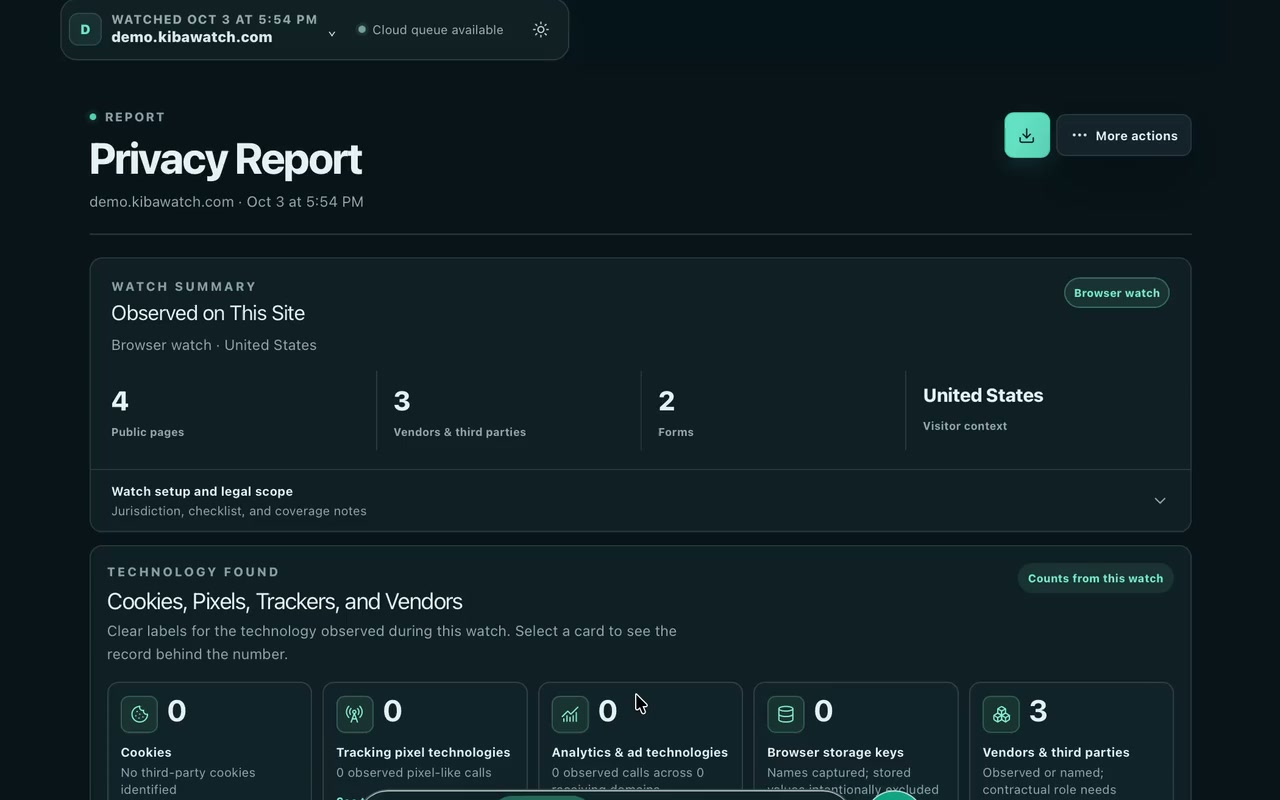
Real Safari actions and saved scan evidence from Brightleaf, our synthetic test website. Includes data inventories, human review, roadmap, vendor outreach, request handling, AI explanations, team access, and exports. Pauses are shortened; outreach and invitations are unsent drafts.
FROM THE FIRST SIGNAL TO THE NEXT STEP
An outside-in view across your organization’s websites: observed data activity, third parties, supporting evidence, and a roadmap for what comes next.
Review consent journeys, cookies, requests, and screenshots together. Capture conditions and quality notes help explain what the scan could see.
Explore the evidenceConnect observations to timestamped evidence. Review what needs attention, record a human decision, and preserve the original capture.
Read the guidePromote warnings to findings, follow up with vendors, and keep requests and responses connected to the watch that started them.
See the workflowREALITY MEETS YOUR POLICY
Get started with a public website and begin building a practical picture on day one. Scan timing depends on the website and available scan capacity.
Start an inventory of observed cookies, requests, forms, and third-party services. Connect the evidence across your watched websites; add your team’s context to understand the data and vendors involved.
Schedule recurring scans and receive change alerts. Revisit consent journeys and vendor activity as your websites evolve. Scheduled scans run when your scan worker is available.
Review and verify observations, promote warnings to findings, and track fixes. Initiate vendor privacy audits and manage requests, responses, and supporting documents in the same workspace.
BUILT FOR HUMAN REVIEW
Bring timestamped evidence and documented reviews to your next privacy or regulator question. Your team can manually verify an observation and record the decision, while preserving the original capture. A reviewed result describes that review; it is not a certification or regulatory approval.
GO BEYOND THE PUBLIC SURFACE
Start with a public scan. Advanced access adds granular evidence, configurable scan scope, and authenticated journeys using an authorized test customer account.
Watch observes what a visitor can see and what the website does during the captured journey. It gives your team a practical view of the external surface someone asking questions about your site could also examine. It is a starting point for review, not a complete inventory of internal systems.
Public website scans start with a URL and need no script installed on the website. Choose sites you are authorized to scan. Authenticated and custom journeys may need your team to provide an approved test account and configure the scope.
Advanced authenticated scans can use an authorized test account to examine a signed-in journey. Access controls, MFA, and site-specific behavior can limit what is captured; the report records capture limitations.
Connect a vendor observation to policy evidence, start a focused privacy request or audit follow-up, and retain responses with your review. Use the roadmap and exports to explain the work your team has done and the questions still open.
A CLEAR START
A 7-day trial with 3 basic scans to get to know Watch. Paid plans will include a scan allowance, with extra scans available as you need them.
Get your first look at what your website does.
Deeper evidence and the workflows to act on it.
Extra scan packs are planned, so you can add capacity without changing your plan. Pack sizes and prices are coming soon.
Your trial expires and you cannot start new scans. Advanced features remain locked. Contact us about continuing with a paid plan; paid checkout is not available yet.
A company workspace, 3 basic website scans, and high-level scan summaries. Each queued scan uses one trial scan, including failed or canceled attempts; deleting a watch does not restore it. Granular evidence, detailed reports, exports, AI assistance, and advanced workflows are locked. The public demo records those features using our synthetic test website.
Yes. Contractors can create a profile and join company workspaces by invitation. Access follows the company workspace’s permissions and plan.
THE WATCH JOURNAL
Product guide · 5 min read
Start an external data and vendor inventory, compare policy with website behavior, and build a roadmap with human review.
Read articleEvidence · 3 min read
Why the before, after, and reload views belong together when reviewing consent behavior.
Read articleTeam workflows · 3 min read
Turn a third-party observation into a focused request and a traceable response.
Read article